Bans and Kicks
Kicks and bans are viewed and managed on the Kicks and Bans page in Orion Board.
How Entries Are Created
| Type | How it's created |
|---|---|
| Kicks (server only) | Auto-detected when a user is kicked—via Discord UI or Hephia's /kick command |
| Server bans | Auto-detected when a user is banned—via Discord UI or Hephia's /ban command |
| Event bans | Created when /event-ban is used, or when a punishment is added with an event warning (/warn-event) |
Event Bans
/event-ban
user, reason, duration (required), ticket, evidence. Duration options: 24h, 2d, 3d, 5d, 1w, 2w, 3w, 1m, 3m, 6m, 1y, indefinite.
Kicks and Bans Page
In Orion Board, go to Kicks and Bans. Tabs:
- Kicks — Server only
- Bans — Server and event
Filters: All, Active, Expired, etc.
The Ban Details modal shows:
- Reason
- Evidence
- Related ticket
- Active status
- Appeal information
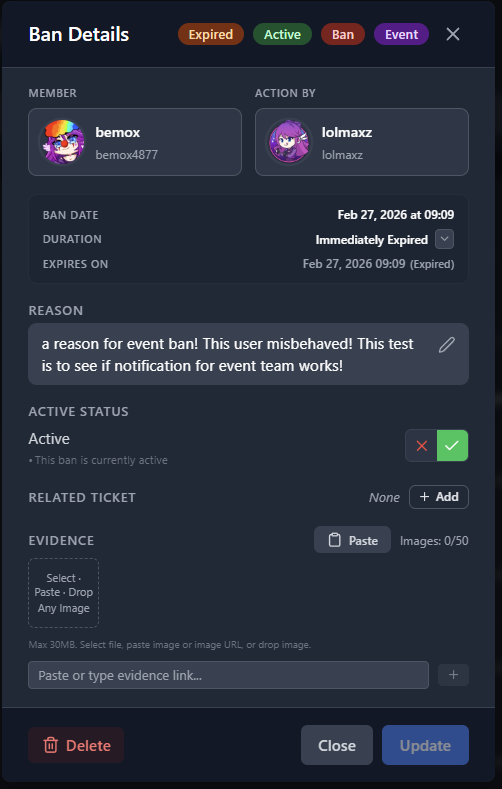
Ban details with reason, evidence, and status.
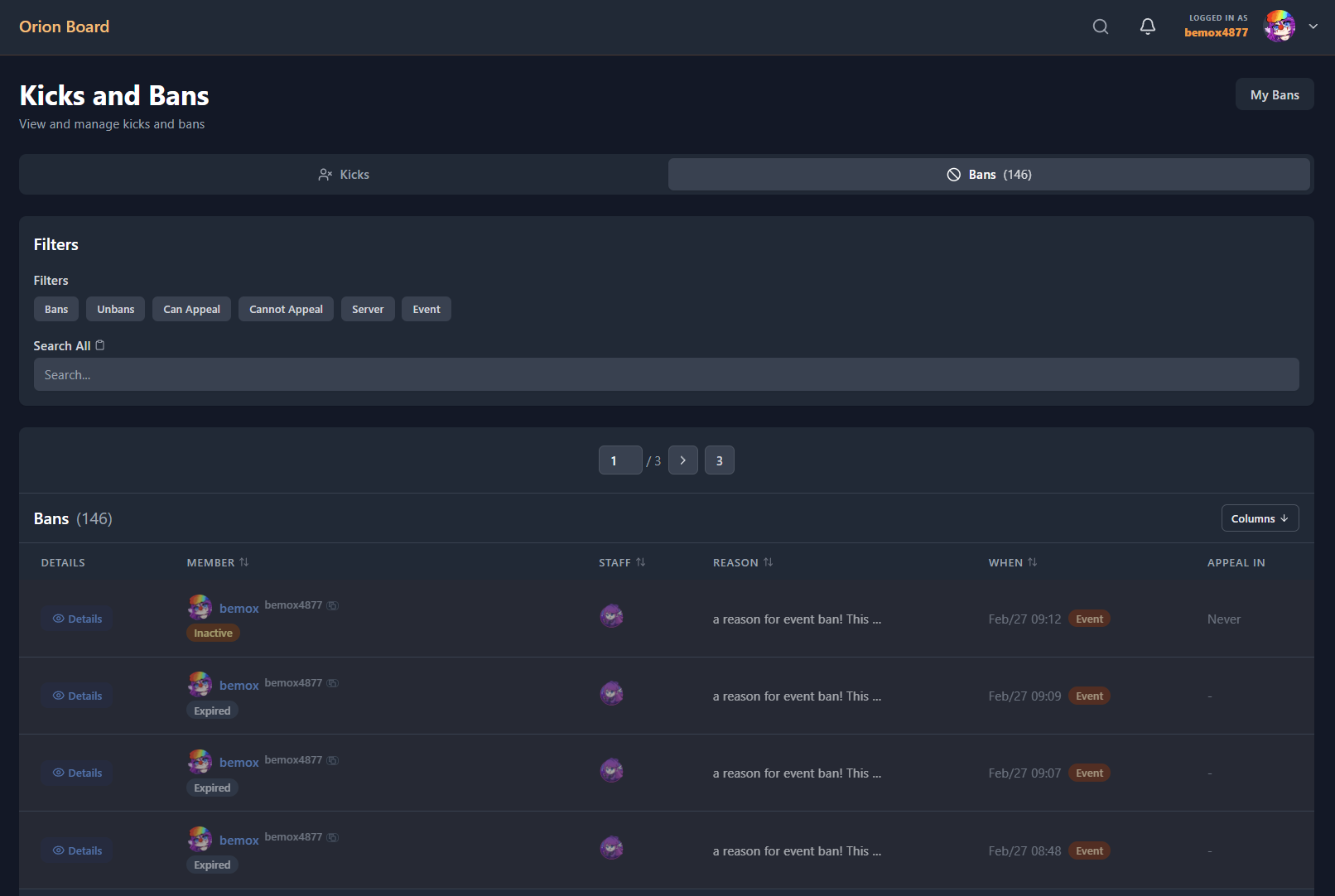
Kicks and Bans page with filter tabs.