Moderation Records (Orion Board)
All event moderation actions are now recorded in Orion Board. The GitHub Warning Book (project 4) has been replaced.
Access the Orion Board dashboard to view and manage event moderation records:
Open Orion BoardWhere to Find Things
| What | Where in Orion Board |
|---|---|
| Event Moderation Logs | Mod Logs → Event → Moderation Actions tab |
| Host Discretion | Mod Logs → Event → Host Discretion tab |
| Event Watchlist | Mod Logs → Event → Watchlist tab |
| Event Bans | Kicks and Bans page (Ban tab) |
Event warnings are created via slash commands in Discord (/warn-event, /warn-informal-event). The dashboard is for viewing, editing, and linking tickets.
📝Recording Details
- When the rule was broken
- What rule was broken
- Punishment received (if any) - Will record event bans automatically
📎Documentation
- Add screenshots or evidence links to the moderation action - up to 50 screenshots and unlimited links
- Link the related ticket when applicable
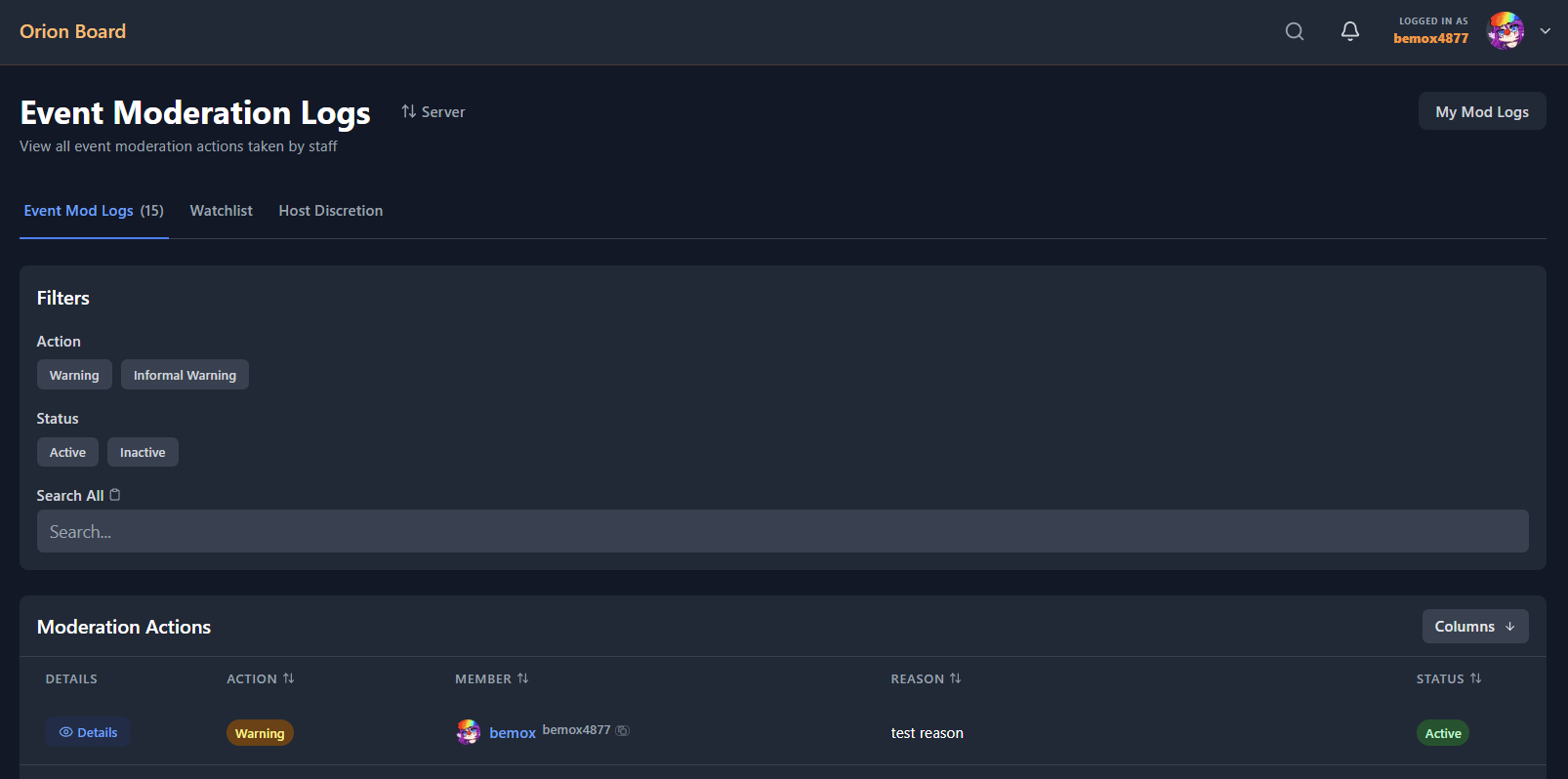
Event moderation logs in Orion Board.
warning
Accurate record-keeping is crucial for tracking member behavior and ensuring consistent moderation.