Closing Out Verifications
A second check of the verification ticket is required:
- Any @Moderator will perform this step for @Cutie Helpers initial verifications.
- If a @Moderator did the initial verification, a separate second moderator shall close out the ticket.


Procedure
Role Selection
- Ensure the @Unverified is removed iHephia will automatically remove the unverified role when a member is granted the verified role. from the member and @Verified has been given to the member.
- Ensure the member has selected appropriate roles.
- Verify the age role/tag they selected matches the age of the member to prevent members from faking their age. (When possible, we don't enforce this)

Reminder Pings
- Send up to 2 reminder pings iReminders can only be sent 24h apart and at least 12h after the ticket was opened. after the welcome message. Use
/reminderin the ticket—optional custom message, or use the default. - If no roles are selected after 48 hours, you may proceed to close the ticket if verification is satisfactory. (optional)
Closing the Ticket
Verification completion is done via /verify in the ticket thread or the button on the Orion Board (Verifications → click the ticket). After verification, close the ticket.
No reason required
You no longer need to specify a reason when closing verification tickets. This was previously required (e.g. "Verification Complete - [Name] Closed By- [Name]")—it is no longer needed. Orion Board tracks who did what automatically.
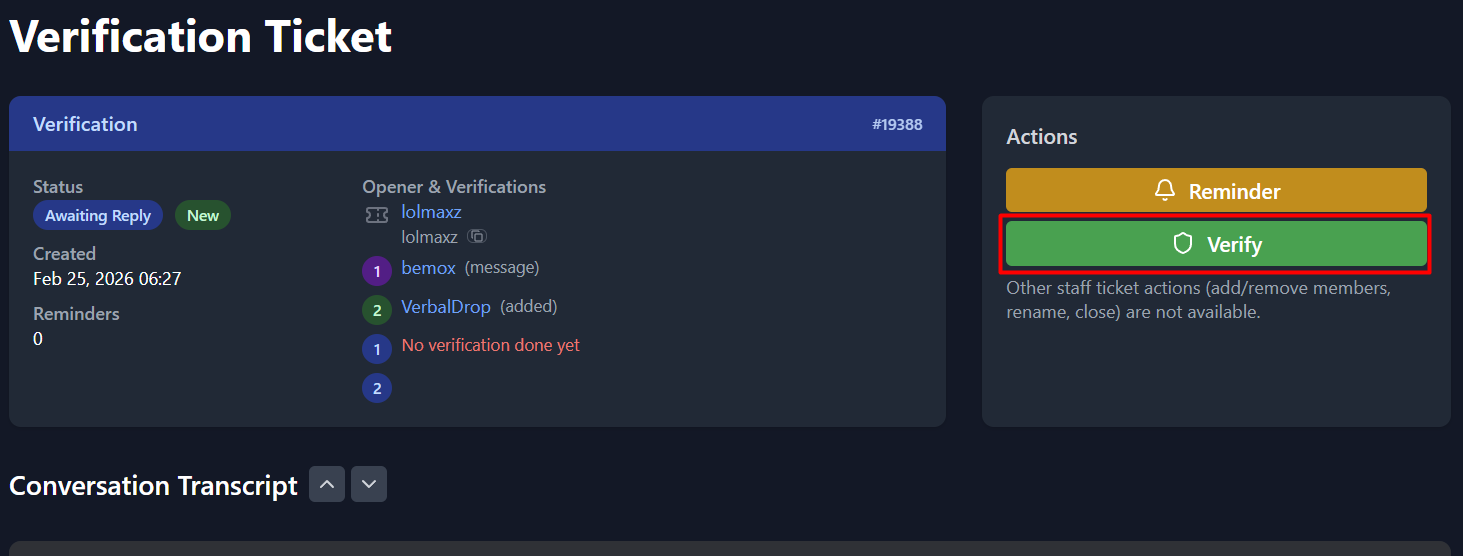
Verify button on the verification ticket page.
No Response Cases
- If the user hasn't responded or provided an ID after 72 hours, you can close the ticket with the reason:
"No Response >72hrs" - For tickets without any post from the user for verification after 48 hours, use:
"No Verification in >48hrs"