Searching Members
There are several ways to find a member and view their profile in Orion Board.
Magnifying Glass (Top Navbar)
The magnifying glass is always visible in the top navbar.
📋User ID in clipboard
Click the magnifying glass—if a valid user ID is in your clipboard and the user exists, you go straight to their details page.
🔍Search by name or ID
Click to expand a search field. The search accepts username, display name, user ID, or nickname (in some situations).
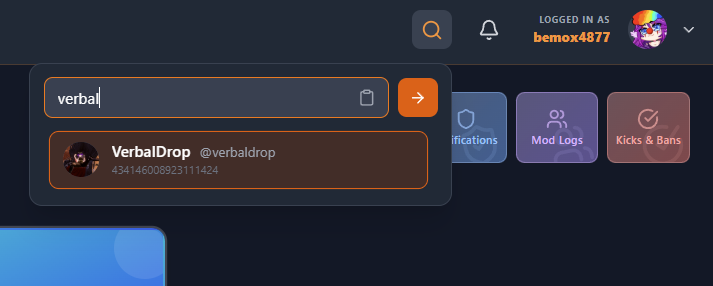
Search bar in top navbar; paste user ID for quick lookup.
From Tickets
- Click a ticket → click a participant's avatar → View Full Profile
- The ticket DETAILS section shows the user with a link to their profile
From Mod Logs or Kicks & Bans
Click a member's name or avatar to open their profile.
From Discord
Right-click a user → Apps → Member Details → "View Full Details" button opens the dashboard member page.
Member Profile
The member profile page has tabs: Overview, Tickets, Moderation, Watchlist, Bans.
It shows: avatar, username, ID (copy), account created, tickets opened/closed, and related moderation data.
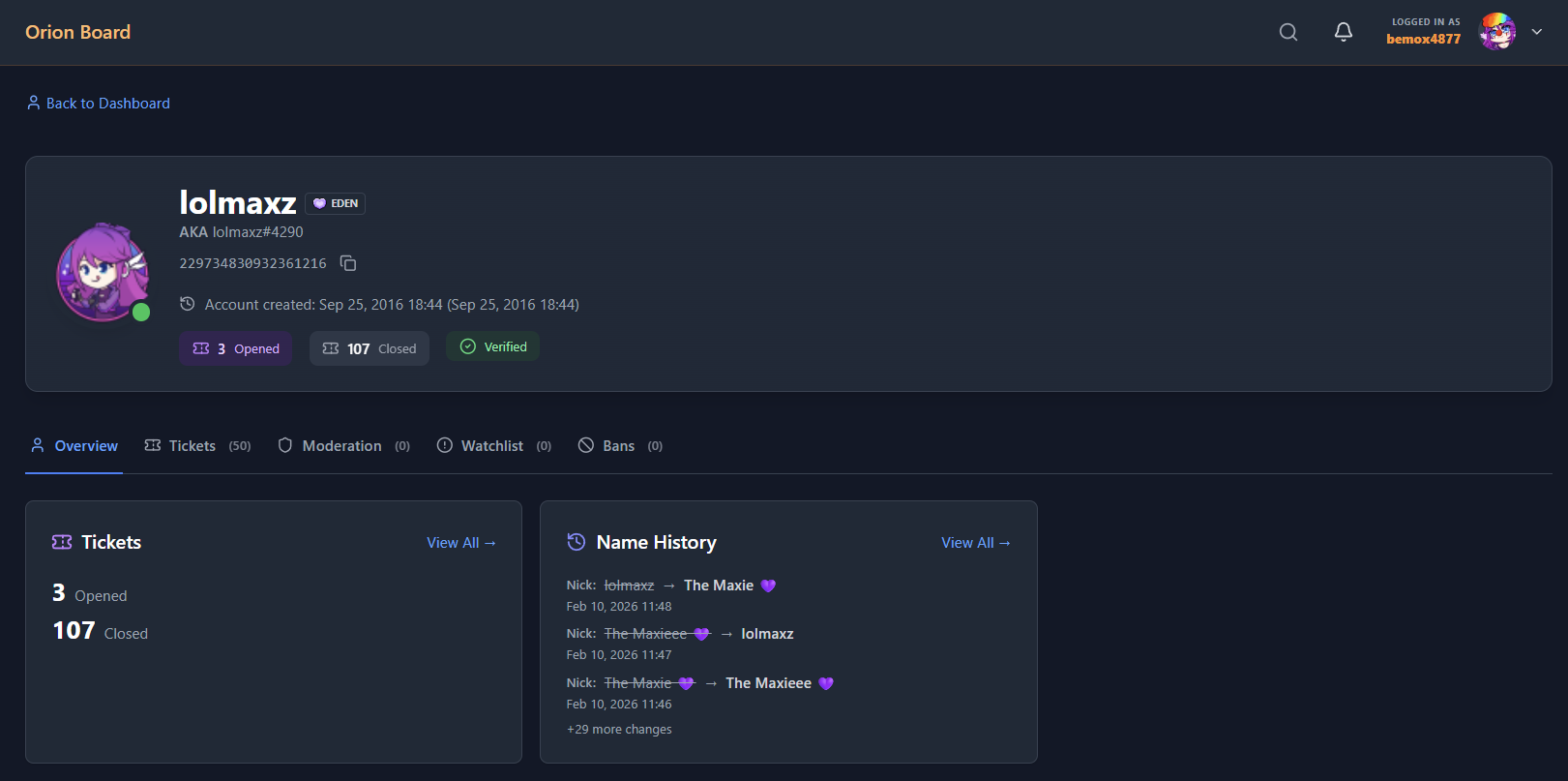
Member profile with Overview, Tickets, Moderation, and Watchlist tabs.