Moderation and Warnings
Warnings cannot be created on the dashboard. Server and event warnings are created only via slash commands in Discord. The dashboard is for viewing and editing existing moderation actions.
Discord slash commands allow only 1 attachment at a time for warnings, watchlist, and host discretion. Use the dashboard to add up to 50 attachments if you need more evidence.
Server Warnings
⚠️Formal Warning
/warnModerator only can use this.
user, reason, ticket (autocomplete), notes, evidence. Can link to ticket. "Open Ticket" button if no ticket exists.
💬Informal Warning
/warn-informalModerator only can use this.user, reason, ticket, evidence. Informal server warning.
Event Warnings
⚠️Formal Event Warning
/warn-eventSenior Event Team only can use this.
user, reason, ticket, notes, evidence, punishment (24h, 2d, 3d, 5d, 1w, 2w, 3w, 1m, 3m, 6m, 1y, indefinite). Optional punishment creates event ban automatically.
💬Informal Event Warning
/warn-informal-eventSenior Event Team only can use this.user, reason, ticket, evidence. Informal event warning.
Dashboard: Viewing and Editing
In Orion Board, go to Mod Logs → switch to Server or Event → Moderation Actions tab.
The Moderation Action Details modal lets you view and edit:
- Reason
- Staff notes
- Evidence
- Related ticket
- Duration (for event warnings)
Timeouts are also auto-logged when a member receives a server timeout—whether from Hephia V1.2's /timeout command or from the manual timeout option in the Discord client UI.
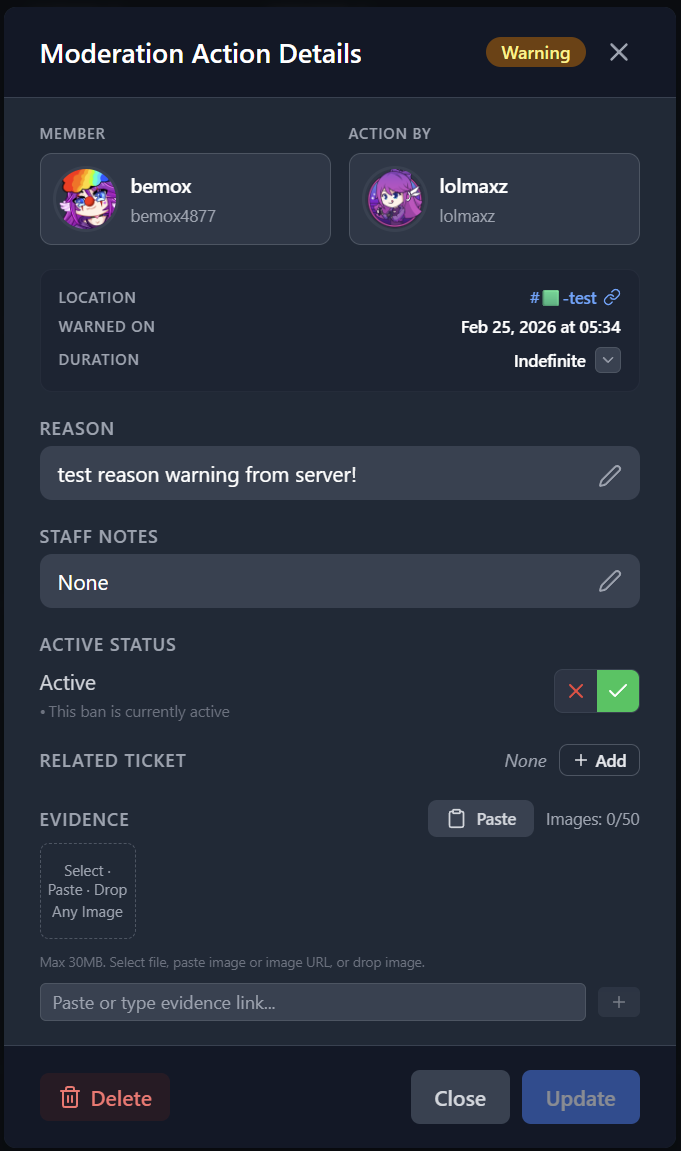
View and edit reason, notes, evidence, and ticket link.
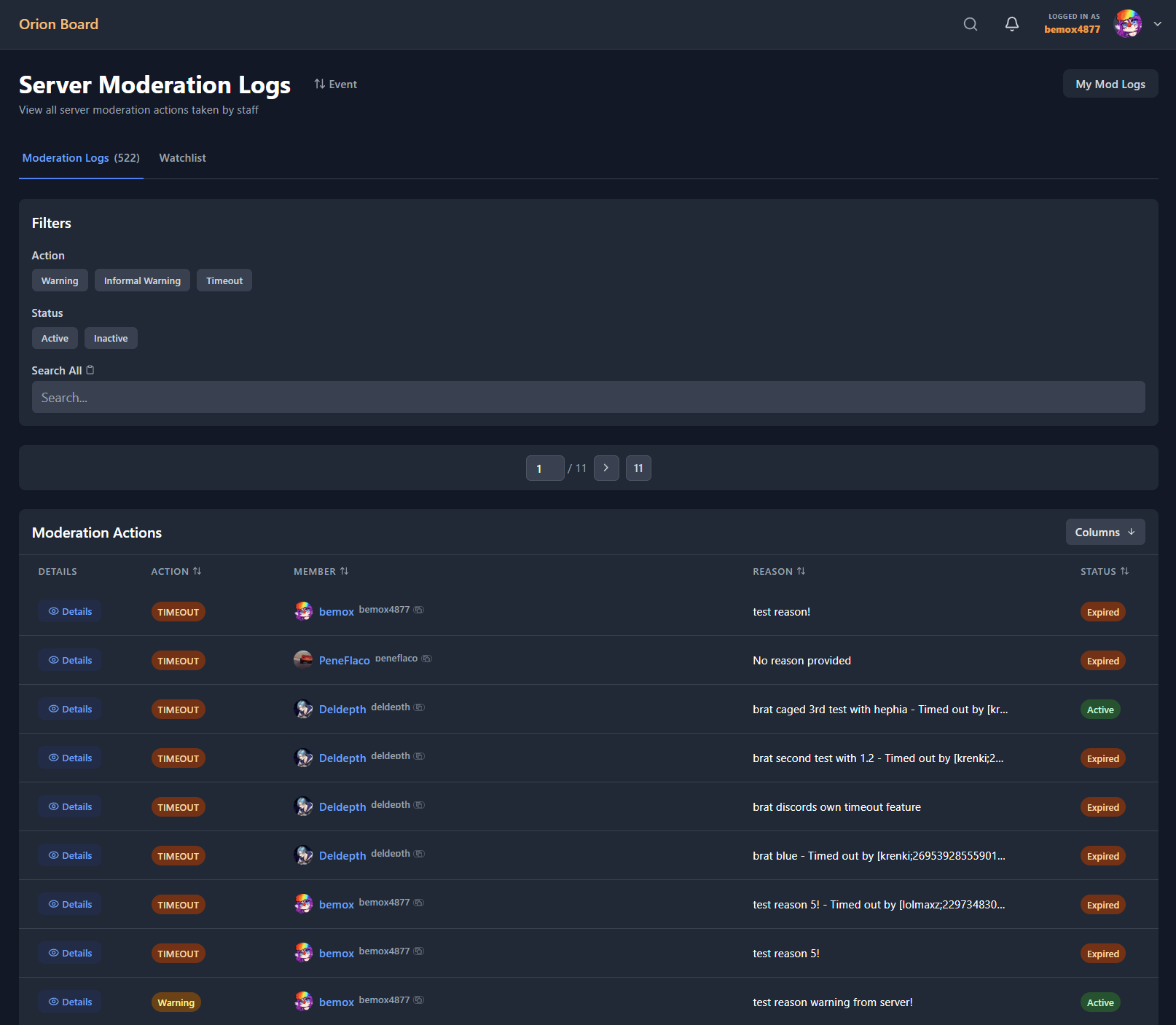
Server moderation actions list.