Moderation Records (Orion Board)
This page was formerly called GitHub Records. All moderation actions are now recorded in Orion Board.
All moderation actions are now recorded in Orion Board. Server Moderation Logs, Watchlist, and Kicks & Bans are all managed in the dashboard.
Access the Orion Board dashboard to view and manage moderation records:
Open Orion BoardClear records help us make fair decisions, see patterns, and coordinate as a team. Orion Board keeps everything in one place—no more separate GitHub projects.
Where to Find Things
| What | Where in Orion Board |
|---|---|
| Moderation Actions | Mod Logs → Server → Moderation Actions tab |
| Watchlist | Mod Logs → Server → Watchlist tab |
| Kicks & Bans | Kicks and Bans page |
Warnings are created via slash commands in Discord (/warn, /warn-informal). The dashboard is for viewing, editing, and linking tickets to moderation actions.
For full details on the moderation system, see Orion Board: Moderation and Warnings.
✅After Closing a Ticket
- The @Moderator records the outcome in Orion Board.
- Link the ticket to the moderation action when applicable.
- Include a brief summary in the reason and notes fields.

📝What to Log
- Date/time of the incident
- Which rule was broken
- Punishment applied
- Screenshot(s) or evidence links
👁️Watchlist
- Use
/watchlistin Discord to add members who need continued visibility. - View and manage entries in Mod Logs → Server → Watchlist.
📈Labels and Levels
- Use labels/status in Orion Board to track active warnings.
- Keep entries concise, factual, and neutral.
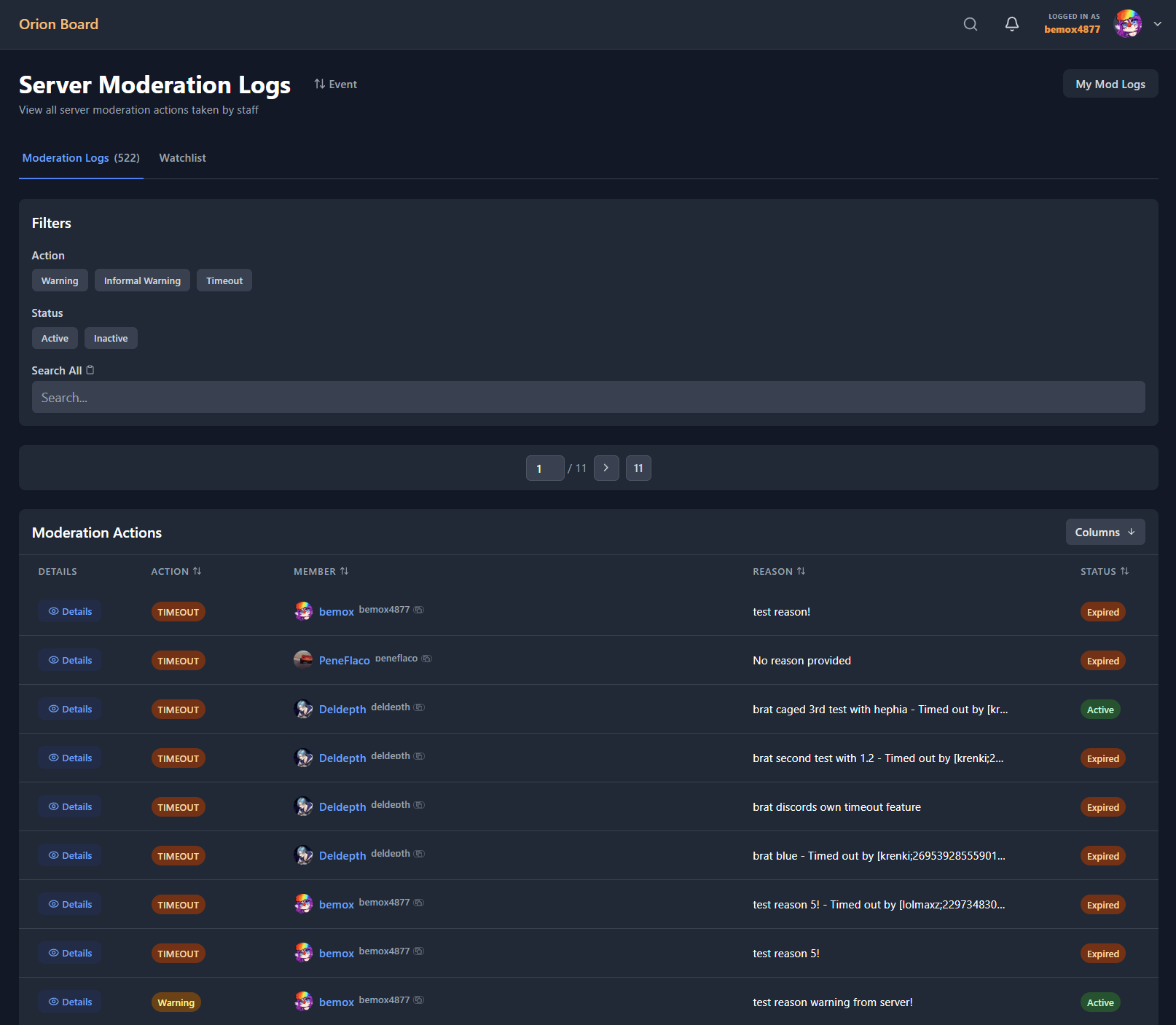
Server moderation logs in Orion Board.
Accurate record‑keeping is essential for consistency and fairness across cases.